Written by
John
Published on
September 6, 2026

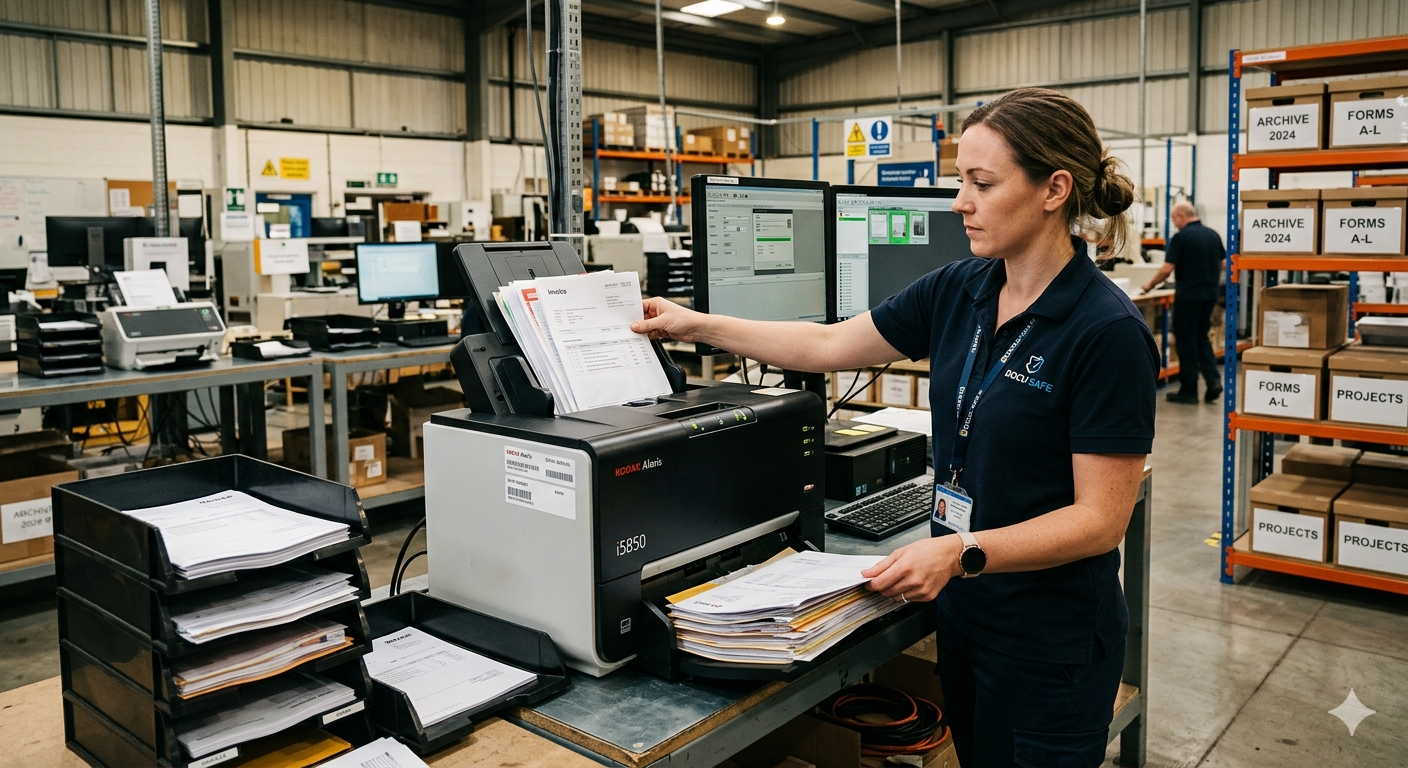
Document imaging is the process of converting physical paper documents into digital files — scanning them, organizing them, making them searchable, and delivering them in a format your team can actually use. It sounds simple, but done right, it transforms how a business manages information.
This guide covers exactly what document imaging involves, how the process works from start to finish, which industries rely on it most, and what California businesses specifically need to know. If you've been wondering whether document imaging is right for your organization, this is the place to start.
The terms are often used interchangeably, but there's a useful distinction. Document scanning refers specifically to the physical act of running paper through a scanner. Document imaging is the broader process — it includes scanning, but also document preparation, quality control, OCR processing, indexing and file naming, and final delivery in the format you need.
When you hire a professional document imaging company like Turn Source Imaging, you're not just buying scanning — you're buying the entire workflow that turns a room full of banker's boxes into a clean, searchable digital archive. Read more about how our pickup and delivery process works.
Before a single page goes through a scanner, documents must be prepared. This means removing staples, paper clips, and binder hardware; unfolding dog-eared corners and damaged pages; separating documents by type or filing category; and flagging anything that needs special handling — oversized pages, fragile originals, multi-part forms.
Preparation is the most labor-intensive part of the process and the step most DIY scanning projects underestimate. A professional team handles preparation efficiently and without damaging your originals.
Documents are scanned using commercial-grade, high-speed scanners capable of processing thousands of pages per hour at resolutions from 200 DPI to 600 DPI depending on document type. Most business documents are scanned at 300 DPI — enough to capture all text and detail at a manageable file size. Oversized documents like blueprints and engineering drawings require large format scanning equipment capable of handling sheets up to 36 inches wide.
Every page is reviewed for scan quality — checking for skew, missing pages, poor exposure, or any page that didn't feed correctly. This is a step that separates professional document imaging from office scanner self-service. A missed page or a blank scan in a legal file or patient record can have serious consequences.
Optical Character Recognition (OCR) is the technology that makes scanned documents text-searchable. The OCR engine reads the image of each page and converts it to machine-readable text, embedded in the PDF. Once OCR is applied, you can search your entire document archive by keyword — just like searching an email inbox. Learn more about OCR and data capture services.
This is where your digital archive becomes truly useful. Every file is named and organized according to your specifications — by date, department, client name, case number, document type, or any other convention your team already uses. Done right, indexing means any document in your archive can be found in seconds. Done wrong, you just have a digital mess instead of a paper one.
Completed files are delivered via encrypted USB drive, secure cloud transfer, or direct integration with your existing document management system. File formats include searchable PDF, PDF/A (for archiving), TIFF, or any combination. Read our complete guide to TIFF vs PDF for help choosing the right format for your project.
Southern California has a particularly acute document management challenge. With office space averaging nearly $49 per square foot in Los Angeles and premium rates across Orange County and San Diego, the cost of storing paper in filing cabinets is real and measurable.
A standard four-drawer filing cabinet occupies approximately 9 square feet of floor space including clearance. At LA County office rates, that's roughly $440 per year per filing cabinet — before you count the staff time to manage, find, and maintain those files.
For businesses across Los Angeles County, Orange County, and San Diego County — document imaging isn't just about going paperless. It's about reclaiming office space, reducing overhead, and building an archive that actually works.
California's Medical Information Act (CMIA) requires patient records to be retained for a minimum of 10 years from the last date of treatment. With Southern California's dense healthcare network, document imaging is a compliance necessity. Our HIPAA-compliant medical records scanning service is specifically designed for California healthcare providers.
Law firms generate enormous volumes of paper — case files, discovery documents, client correspondence, and trust records. California Rule of Professional Conduct 1.15 requires trust account records for at least 5 years. Our legal document scanning service serves law firms throughout Southern California.
Every real estate transaction generates a paper trail that must be retained under California DRE and DFPI regulations. Escrow companies can typically charge scanning costs directly to the transaction — making digitization cost-neutral.
Los Angeles's entertainment industry generates significant paper per project — time cards, contracts, petty cash receipts, and guild documentation. Film and production company scanning is one of our most active service areas.
HR files, financial records, vendor contracts, and compliance documentation all require organized retention. California and federal laws govern how long most business records must be kept — read our guide to California business record retention requirements.
Most document imaging projects use off-site scanning — we pick up your documents, scan them at our facility, and return them with your digital files. This is the most efficient and cost-effective approach for the majority of projects. For situations where documents cannot leave your premises — sensitive legal files, active patient records, classified materials — we offer on-site document scanning where we bring our equipment to you.
Project timelines depend on volume, document condition, and indexing complexity. A typical filing cabinet (roughly 2,500-3,000 pages) can be scanned, processed, and returned within 3-5 business days. Larger projects — full storage unit archives, multi-department cleanouts — are quoted individually. Read our guide to what makes a scanning project easy or complicated to understand what affects your timeline.
Document imaging is not a one-time project for most organizations — it's the beginning of a paperless workflow. Once your historical archive is digitized, a day-forward scanning program keeps new paper from accumulating.
The best starting point is a free consultation. W we handle everything from two file cabinets to decades of storage unit archives. Contact us to get started.
Ready to Start Your Document Imaging Project?
Turn Source Imaging provides professional document imaging with pickup and delivery throughout Southern California. Free consultation and sample batch scan available.
Contact us at (714)-276-1111